Copy once.
Find it always.
Everything you copy, always within reach.
to browse through your custom clipboard.
The clipboard macOS
should have built.
Select multiple items, queue them up, and handle any file type. Everything you need to move faster.
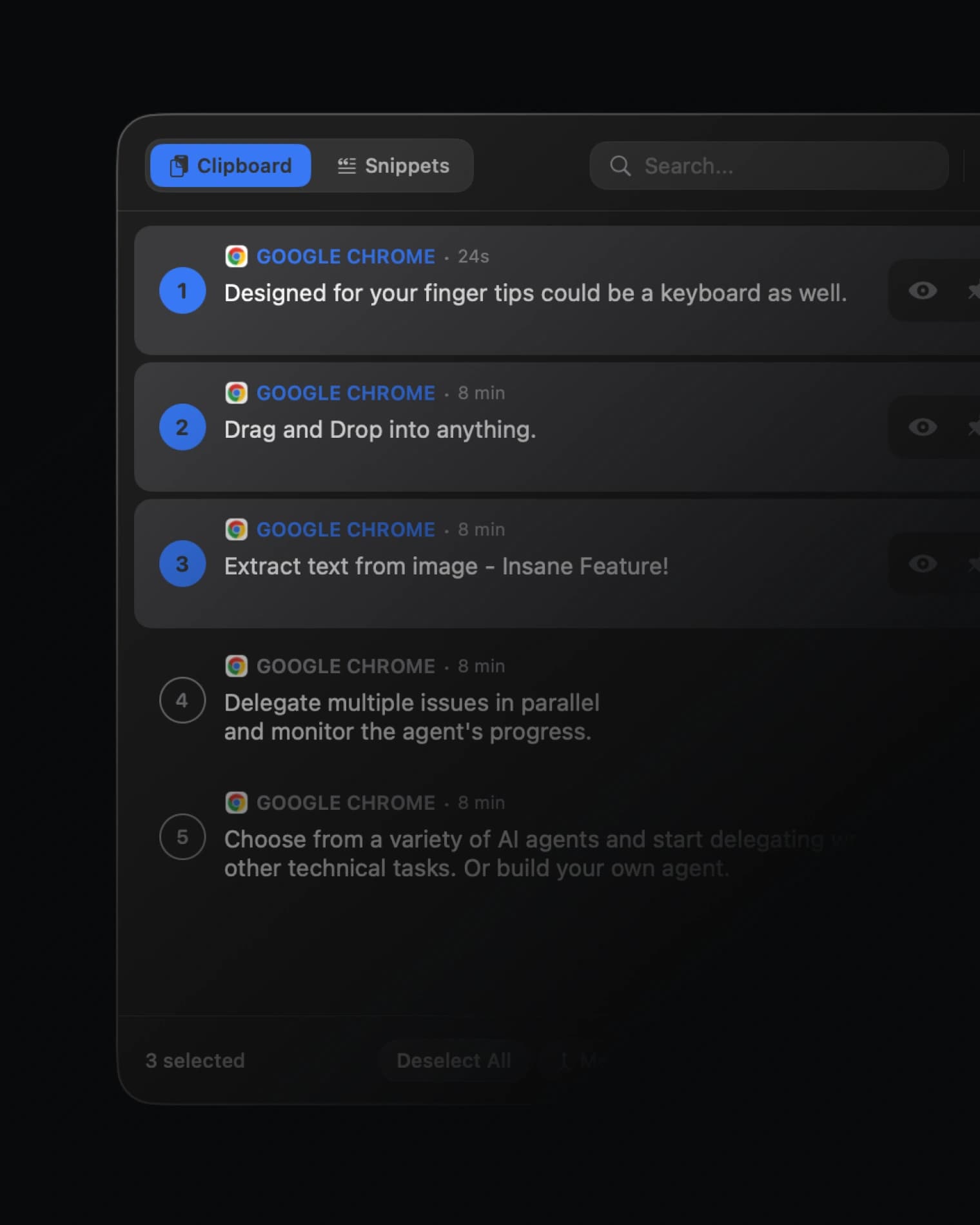
Multi Select & Paste
Select multiple clips and paste them together in one go.
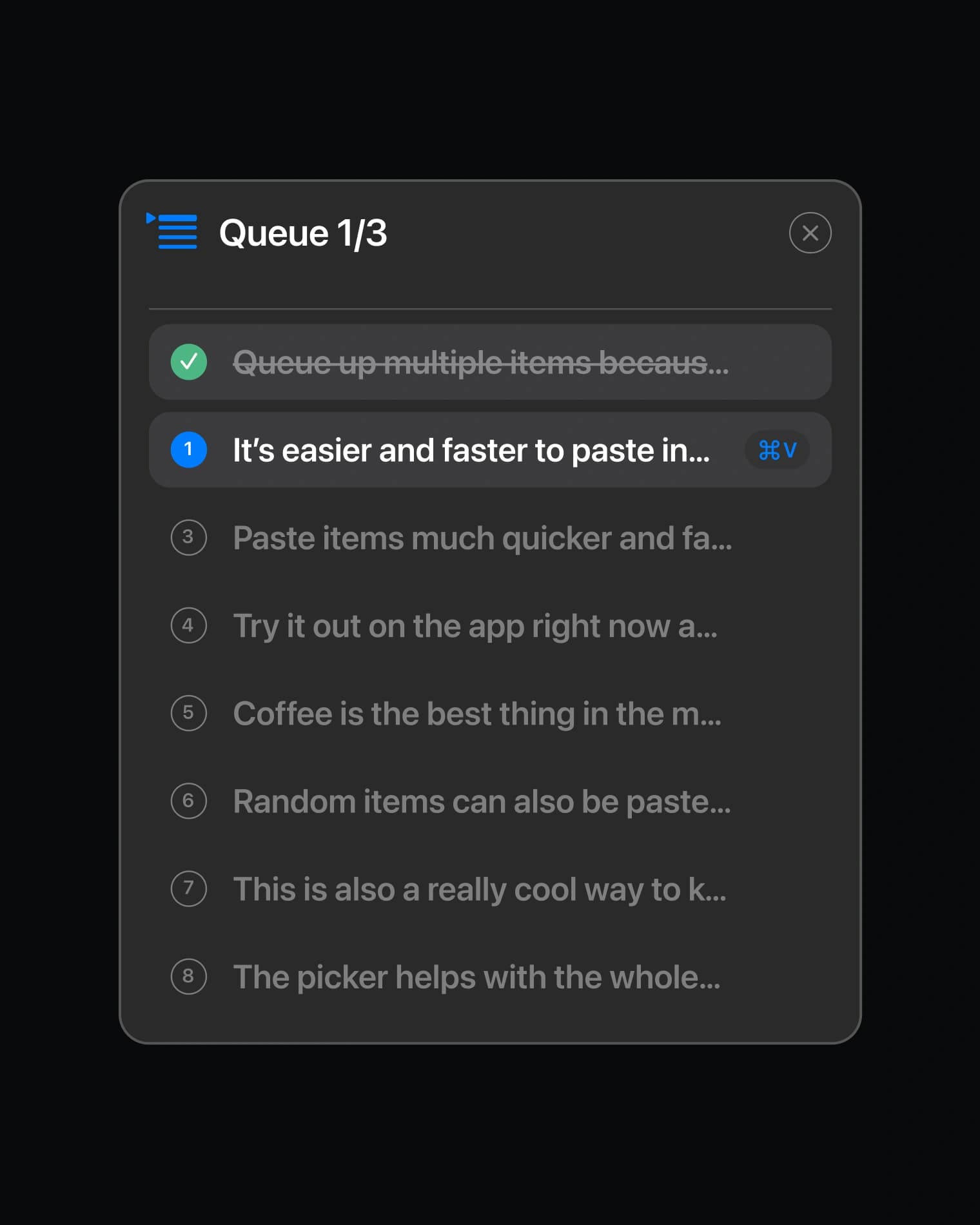
Queue Up Paste
Line up clips in order. Each ⌘V pastes the next one.
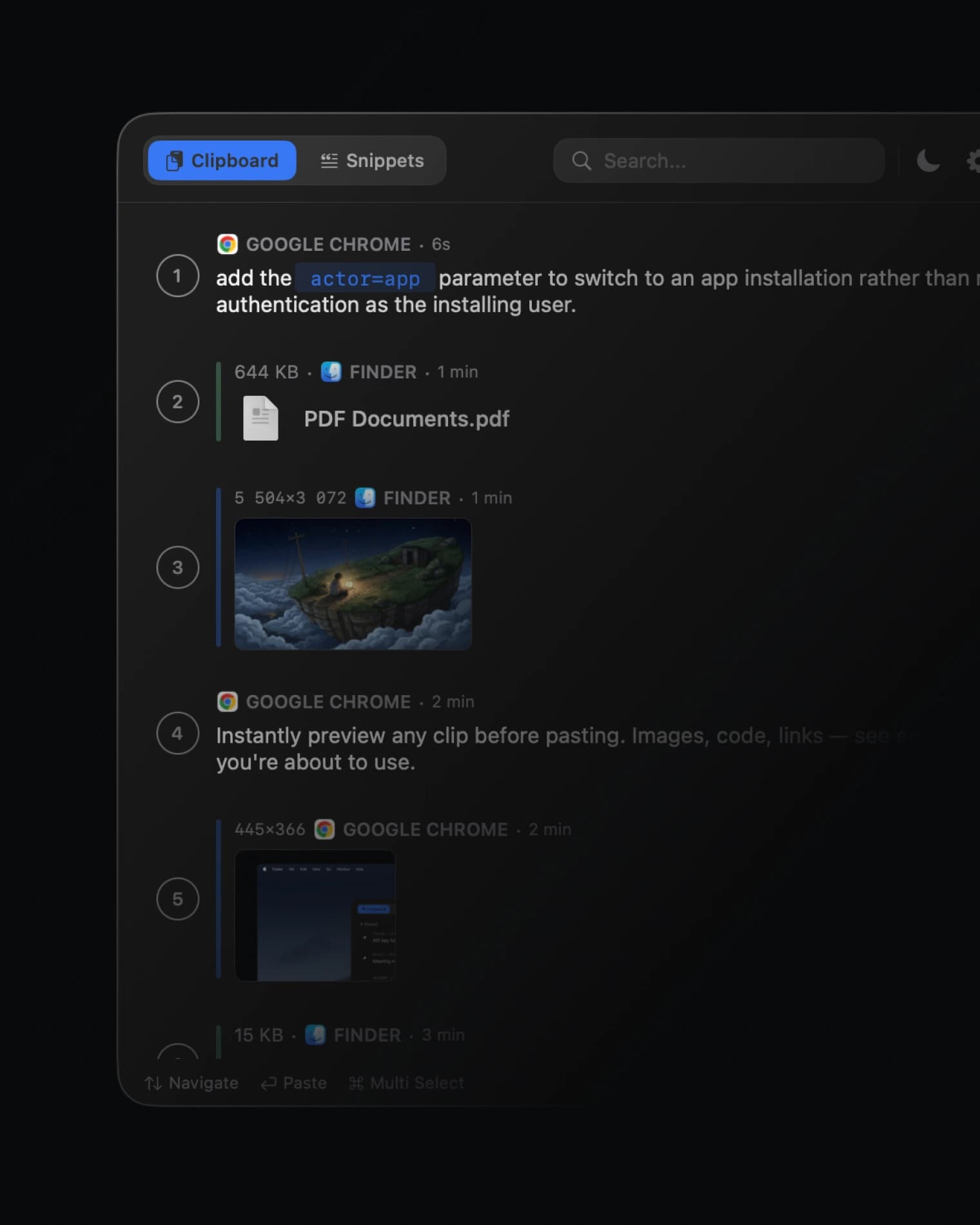
Supports Any Filetype
Text, images, files, code, links. Every format handled.
Built for Power Users


Designed for your fingertips
Every action is a shortcut away. Type to search, arrow through the results, press Enter — your hands never leave the keyboard.
Your clipboard sees everything.
MindClip treats it that way.
A clipboard manager watches everything you copy — so trust isn't a feature, it's the whole product. Here's how MindClip earns it.
Passwords never captured
Copies from 1Password, Bitwarden and other password managers are ignored automatically — no setup required.
Everything stays on your Mac
No cloud, no account, no analytics, no tracking. Your clips never leave your machine.
Pause when it matters
Snooze capturing for 15 minutes or an hour — it resumes on its own.
Auto-clear on lock
Flip one switch and your clipboard wipes itself every time the screen locks.
History on your terms
Keep a day, a week, or forever — and wipe the last 15 minutes in one click when you need to.
Loved by Mac users
Changelog
Quietly better
The best kind of update: the one you don't notice. We went deep under the hood, tightened a few bolts and chased out some sneaky gremlins. MindClip just feels a little more rock-solid, all day long.
Extract Text, back up to speed
macOS 27 slowed it down — we sped it back up. On macOS 27, Extract Text could pause for close to a minute, or claim there was "No text found" in an image full of words. It now runs on Live Text, the same engine as Preview and Photos, and answers in a blink.
The double-snippet pre-fixer
Seen a snippet paste twice? A few of you have. MindClip now records how every paste happens — never what. It watches the machinery, not your clipboard: no content, nothing you copy, just events and timings. If it strikes again, hit Report a Problem right after and we'll have it.
One wrong word, fixed
We told you to pin an item to make a snippet — which is a bit like being told to turn left to go right. Fixed now.
FAQ
Can't find what you're looking for? We're happy to help with any questions about MindClip.
Contact usHold down ⌘V. A quick tap pastes normally — hold it for a moment and the picker appears with your full clipboard history.
Text, rich text, images, screenshots, files, code — anything you copy. MindClip preserves formatting, detects programming languages with syntax highlighting, and can even extract text from images using built-in OCR.
Snippets are text you paste often — email signatures, addresses, code templates, canned responses. Pin them once and they're always available in the picker, across sessions and restarts. Think of them as your permanent clipboard. MindClip even notices text you keep pasting and offers to save it for you.
When you keep pasting the same text across a few days, MindClip marks it with a blue icon in the picker — one click saves it as a snippet. It's a simple counter on your Mac: no AI, no analysis, nothing leaves your device. Clearing your history resets it, and you can turn it off in Settings → Snippets.
A Board is a pre-loaded collection of items — text, images, files, even videos — that you keep ready on a second screen during demos, presentations, or sales calls. Press ⌃⌥+1 to paste the first item, ⌃⌥+2 for the second, all the way through ⌃⌥+Z for up to 36 items on hotkey. Your audience never sees the list. Share whole Boards with teammates as a single .mcboard file.
MindClip needs Accessibility access to detect when you hold ⌘V. Without it, macOS won't let the app see keyboard shortcuts. Your clipboard data is never sent anywhere — the permission is purely for shortcut detection.
MindClip supports macOS 13 (Ventura) and later. It's built with SwiftUI and takes advantage of the latest macOS APIs for the best possible performance.
MindClip is a one-time purchase. Pay once, use forever. All future updates included — no recurring fees.
Everything stays on your device. MindClip stores clipboard data locally — no cloud sync, no servers, no analytics. Your data never leaves your Mac.
macOS only remembers your last copy. MindClip keeps your entire history searchable, lets you pin favorites, merge clips, extract text from images, queue pastes, and much more — all accessible with a single shortcut.
No. MindClip is built with native Swift — no Electron, no web views. It uses less than 20MB of memory and launches in 0.08 seconds. You won't notice it's running.
Reach out through the contact page or email hello@mindclip.pro. Every message is read by the founder, and fixes usually ship within days — most of what's in MindClip started as a message from a user.